Messaging
How clients opt in
Where a tattoo client gives permission to be texted, what they agree to, and how they stop.
Last updated 22 September 2026
Every studio on WaivePro Ink has its own consent form, which their clients fill in on their phone before being tattooed. The form lives at waiveproink.com/f/<studio> and is public — no login, no app to install. This page shows what the messaging part of it says, because that URL is different for every studio.
The checkbox
Near the end of the form, under Permissions, the client is asked three separate questions. All three start empty. Nothing is ticked for them.
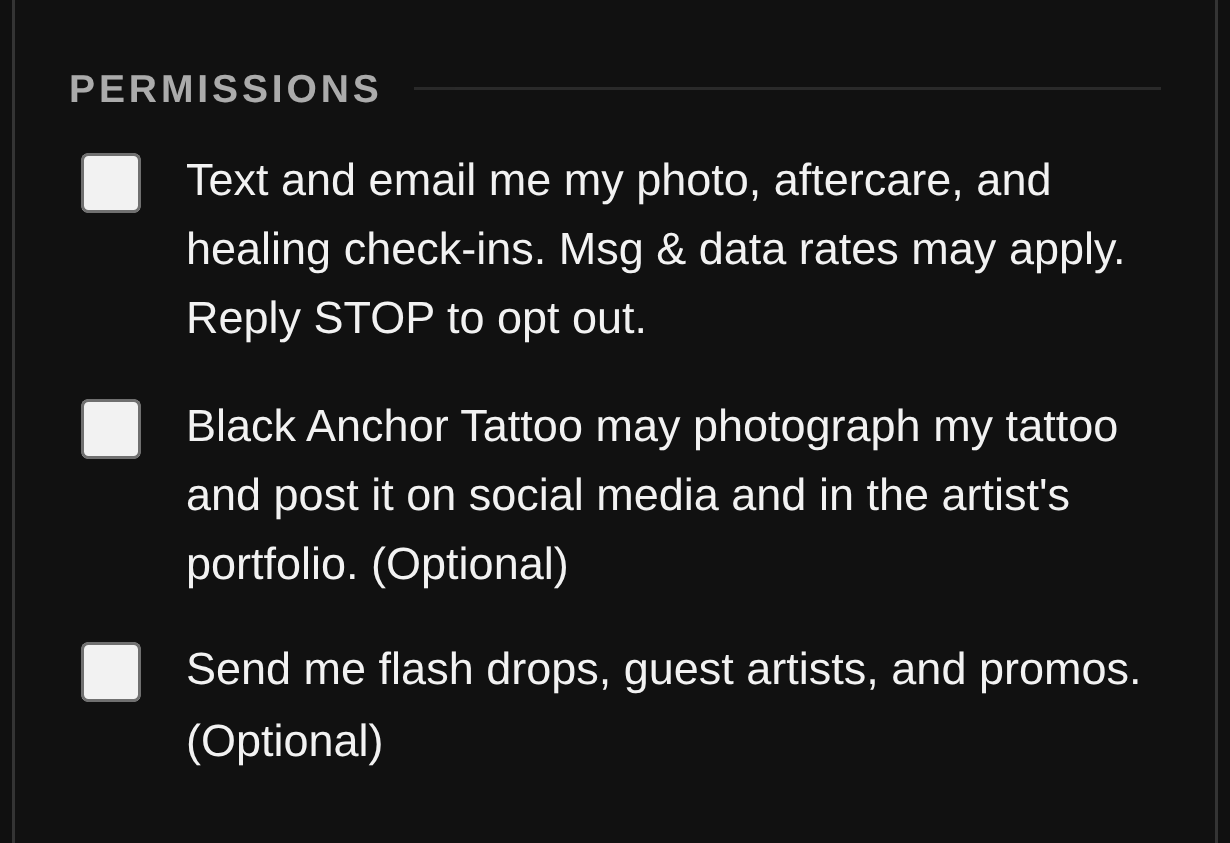
The Permissions section of the consent form, as a client sees it on their phone.
The first of those three is the one that permits texting. Its wording, in full:
“Text and email me my photo, aftercare, and healing check-ins. Msg & data rates may apply. Reply STOP to opt out.”
A client who leaves it empty still gets their tattoo and still gets their appointment messages. They simply do not receive the aftercare and review messages. Nothing about the booking depends on it.
How a number reaches us in the first place
- The client gives it to the studio in person or by phone when booking an appointment.
- They type it into the studio's public booking-request page at waiveproink.com/r/<studio>.
- They type it into the consent form above.
Booking confirmations, appointment reminders, a link to the consent form and a deposit request rest on that booking relationship — the client handed over their number in order to arrange a tattoo. Aftercare and review messages need the checkbox as well. Marketing needs a third permission of its own, which is the “flash drops, guest artists and promos” line in the screenshot.
What gets sent
| Message | When | Rests on |
|---|---|---|
| Booking confirmation | When the appointment is made | The booking |
| Appointment reminder | Once, before the session | The booking |
| Consent form link | On request from the studio | The booking |
| Deposit request | On request from the studio | The booking |
| Aftercare, photo and review | About an hour after the session ends | The checkbox |
| Review reminder | Once, about three weeks later | The checkbox |
A typical tattoo produces four or five messages in total. Frequency varies with how often somebody books.
Stopping
- Reply STOP to any message. It takes effect immediately.
- Reply START to begin receiving them again, or HELP for the studio's contact details.
- An opt-out is stored against the phone number itself rather than one client record, so it holds across every studio on WaivePro Ink — including for someone who has never signed a form with us.
- Email carries its own unsubscribe link.
Every outbound message passes a permission check on our servers before it is sent. One that fails is written to the studio's log with the reason rather than being delivered.
Mobile opt-in data is never sold, rented or shared. It is not passed to any third party for marketing, and it is not shared between studios. No third party receives a phone number from us for their own use.
Full detail in the Privacy Policy · Terms · waiveproink.com